


Wintopia Mobile – Casino Access from Any Device
















Where mobile falls short at this operator
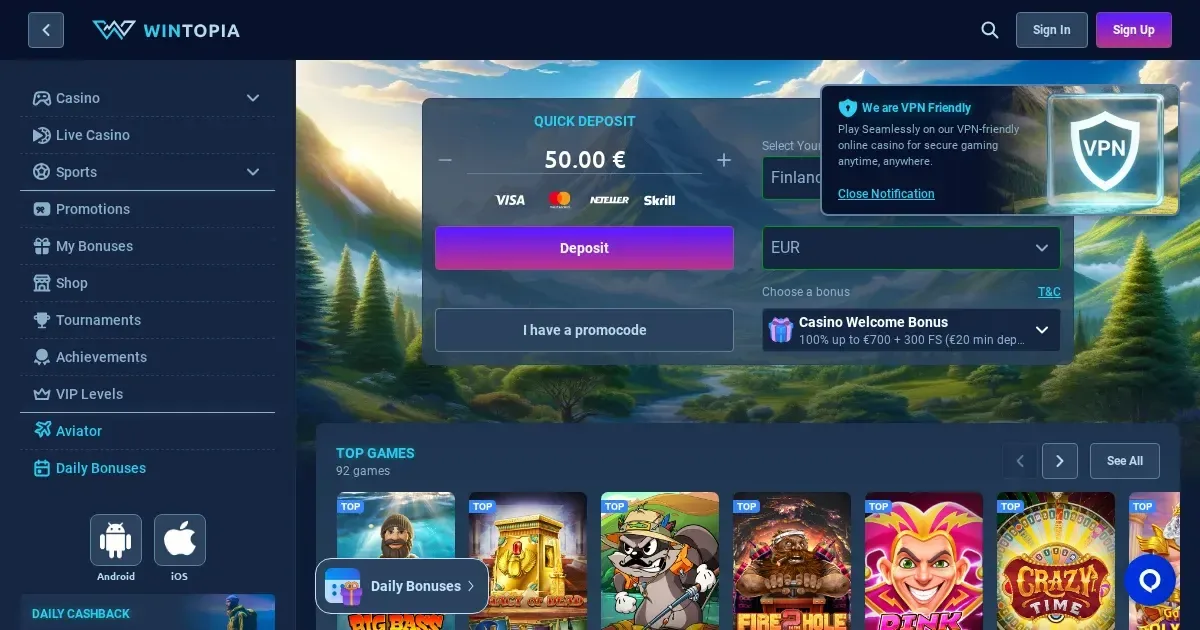
Wintopia runs entirely in a mobile browser – no native app is published for iOS or Android. That means access is immediate (type the address, sign in with the same credentials used on desktop), but it also means the experience is shaped by what a browser can and cannot do on a phone.
The cashier interface is functional but cramped on screens under 5 inches. Deposit buttons sit below the fold, and scrolling through payment options takes more effort than it would on a laptop. Withdrawal requests follow the same path as on desktop – same limits, same processing times – but the form itself is harder to fill out with a thumb.
Game filters exist but are not as granular as the desktop version. Searching for a specific title by name works; browsing by feature (volatility, RTP, bonus buy) does not. The live casino lobby loads, but table limits and seat availability are harder to scan at a glance.
Support remains reachable through live chat and email, though the chat window sometimes obscures the game screen on smaller devices. Opening it in landscape orientation helps, but not every game supports rotation.
The honest answer on apps
Wintopia does not publish a dedicated mobile application. There is no listing in the App Store or Google Play, no APK download, and no progressive web app prompt when visiting the site from a phone. What you get is the operator's standard site, rendered in a mobile browser.
This is not unusual for operators licensed in Curaçao – maintaining separate app builds for multiple jurisdictions adds cost and regulatory complexity. The browser route keeps everything under one roof: one login, one balance, one set of terms.
If a future app appears, it will be announced on the operator's own homepage. Until then, the mobile site is the only option, and it works without installation.
The browser route in practice
Access is straightforward:
- Open Safari, Chrome or any modern browser on your phone.
- Navigate to the operator's domain (the same address used on desktop).
- Sign in with your existing username and password – no separate mobile account is required.
- The homepage adapts to the smaller screen automatically.
Sessions persist across page reloads, so switching apps or checking a notification does not force a new login. The site remembers your preference for cookie consent and currency selection, though these settings are stored locally – clearing browser data resets them.
Landscape orientation is supported for slots and live games. Most titles scale to fill the available space, though a handful of older releases (primarily video poker and some table games) display in portrait only.
Features that survive the small screen
The core functions remain intact on mobile. You can deposit using the same methods available on desktop – credit cards, debit cards, bank transfers and e-wallets all appear in the cashier, with the same minimum amounts and processing times. The €20 minimum withdrawal applies equally, and the €3,000 daily limit is unchanged.
Game library: Slots, live dealer tables and the sportsbook are all accessible. The "New Games" and "Top Games" categories load without issue, and individual titles launch in a dedicated game window. Pragmatic Play, Play'n GO and Hacksaw Gaming slots perform well; live tables from the 595-strong lobby stream smoothly over 4G or Wi-Fi.
Account management: Verification documents can be uploaded directly through the mobile site. The operator accepts photos of a passport or driver's license, both sides of a payment card (with the middle eight digits and CVV hidden), and a utility bill. A selfie holding the document may be requested if additional checks are needed.
Responsible gambling tools: Deposit limits and time limits are set through the same account menu as on desktop. Self-exclusion requests can be initiated on mobile, though final confirmation requires contacting support at [email protected].
A short checklist before playing
Connection matters. Slots tolerate an uneven signal better than live games – a dropped frame in blackjack can mean a missed decision. Stick to Wi-Fi for live dealer sessions, or ensure a strong 4G signal before starting.
Check the address bar. Phishing sites targeting mobile users are common, and a mistyped domain is easier to miss on a small screen. Bookmark the correct address after the first visit to avoid typing it manually again.
Sign out when done, especially on a shared or public device. Mobile browsers do not always prompt for confirmation before closing, and an open session is an open balance.
Set deposit limits before the session, not during it. The mobile cashier works, but adjusting limits in the middle of play adds friction you do not need. Decide the budget beforehand and let the system enforce it.
Battery drain is real – live games and high-volatility slots consume more power than browsing. Keep a charger nearby for sessions longer than an hour.
Playing responsibly on mobile
A device you carry everywhere makes it easier to play impulsively. Deposit limits and session timers – both available through the operator's account settings – are worth enabling before the first mobile session, not after the tenth.
If gambling stops feeling like entertainment, help is available 24/7 through the National Gambling Helpline at 0808 8020 133 (free and confidential). BeGambleAware provides additional resources, and GamStop offers free self-exclusion across all UKGC-licensed operators.
Blocking software such as Gamban or BetBlocker works across all browsers and apps on the same device. Both are free and take effect immediately.
Access to this site is restricted to visitors aged 18 and over (18+). If a device is shared with minors, parental control software such as Net Nanny or Qustodio can block gambling domains entirely.
Gambling should remain entertainment, not a chore – and a phone in your pocket does not change that principle.
This page is for information and marketing purposes only. We are not a casino operator, a bookmaker or an organiser of gambling. Access to this content is restricted to persons aged 18 and over (18+). We encourage you to gamble responsibly – for free, confidential support visit BeGambleAware.org.
Last updated:
Frequently asked questions
Does Wintopia have a mobile app for iPhone or Android?
No, Wintopia does not publish a native app. The casino runs entirely in a mobile browser – access the operator's site from Safari, Chrome or any modern browser using the same login credentials as on desktop.
Can I deposit and withdraw from my phone at Wintopia?
Yes. The mobile cashier supports the same payment methods as the desktop version – credit cards, debit cards, bank transfers and e-wallets. The €20 minimum withdrawal and €3,000 daily limit apply equally on mobile.
How do I upload verification documents from a mobile device?
Open the account menu in the mobile browser, navigate to the verification section, and upload photos of your passport or driver's license, both sides of your payment card (middle eight digits and CVV hidden), and a utility bill. The operator reviews documents within 24 hours between 9:00 and 18:00 GMT+3.
Do all Wintopia games work on a phone?
Most slots and live dealer tables are optimised for mobile browsers. A handful of older video poker and table game releases display in portrait orientation only and may feel cramped on smaller screens.
Game Providers